Showing posts with label CCNA 640-802. Show all posts

May 28, 2011

ARP (Address Resolution Protocol)

It help ip network devices find other device on the same segment or Vlan |ـــــ ARP uses a local broad cast to discover neighboring device |ـــــ ARP resolves ip addresses to mac addresses so that machines on the same data link layer media can communicate with each other.


Protocol                                                                                   Protocol ID
Internet Control Message Protocol (ICMP)                                          1
Transmission Control Protocol (TCP)                                                  6
Interior Gateway Routing Protocol (IGRP)                                          9
User Datagram Protocol (UDP)                                                           17
Internet Protocol version 6 (IPv6)                                                       41
Internet-work Packet Exchange (IPX)                                                    111

Internet Control Message Protocol (ICMP)

  • It is used to send error & control information between ip network devices.
  • There are many diffident messages that can be shared, including the following: 
1. Echo request: Determines whether on ip node ( a host or a router is available on network.)
2. Echo Reply: Replies to ICMP echo request.
3. Destination Unreachable: Informs the host that a datagram can't be delivered.
4. Source Quench: Informs the host to lower the rate at which it sends datagram because of congestion.
5. Redirect: Informs the host of a preferred rate.
6. Time Exceeded: Indicate that the TTL of IP datagram has expired.

May 13, 2011

Using the Pipe

 It is the output modifier. This pipe ( | ) allow us to wade through all the configurations or other long out puts & get straight to our goods fast.

Arman#sh run | ?
Append Append redirected out put to URL ( URLs supporting append operation only )
Begin Begin with the line that matches.


May 7, 2011

Setting up SSH

Which creates a more secure session than the Telnet app that use an uncrypted data stream.
Here are the steps to setting up SSH:
1. Set your host name:
Router(config)#host name Rezakhani


2. Set the domain name (both the host name & domain name are required for the encryption keys to be generated) :
Rezakhani(config)# ip domain -name ArmanRezakhani.com

3. Generate the encryption keys for security the session:
 Rezakhani(config)# crypto key generate rsa  general -keys modulus ?
<360-2048> size of the key modulus [360-2048]
Rezakhani(config)# crypto key generate rsa general -keys modulus 1024


- The name for keys will be Rezakhani.ArmanRezakhani.com
- % The key modulus size is 1024 bits

Do command

** Beginning with IOS version 12.3
  • Cisco has finally added a command to the IOS that always you to view the configuration & statics from within configuration mode.
 ** In fact with a pre -12.3 router,

  • you'd get the following error if you tried to view the configuration from global - Config
you see:

Router (config)# sh run

             ^
% invalid input detected at  ' ^ '  marker
  • Compare that to the output i got from entering that same command on my router that's running the 12.4 IOS
Enter configuration commands, one per line. End with CNTL/Z

May 6, 2011

OSI v TCP/IP

OSI:
you can see it, HERE

TCP/IP:
  • Rout able: it can pass through routers.
  • Connect dissimilar systems: Win, Mac, Unix, etc...
  • Method of access to the inventor. 
App Layer: using an app, it gains access to the network.
Telnet, FTP, TFTP , NFS, SMTP, LPD, DNS, DHCP.
Transportation: provides communication sessions between the two computers.  TCP, UDP
Internet Layer: routers the data from it's source to it's source to its destination.   ARP, RARP, IP, ICMP, IGMP.
Network Layer: it sends & receive data on the wire.  Ethernet, Token Ring, Frame, Relay, ATM 

(Well-Know Port Numbers:
FTP: 20 & 21, SMTP: 25,  DNS: 53, Telnet:23, HTTP: 80, HTTPS: 443)

May 4, 2011

Subneting class c addresses **Normal Way!**

Before i start this article  i should say don't worry if you can't understanding it! you can see the fast way!

- In class C address, only 8 bits are available for defining the hosts.
- Remember that subnet bits start at the left & go to the right without skipping bits.
- This means that the only class C subnet mask can be following.

Binary                    Decimal                    CIDR
00000000                    0                              /24
10000000                    128                          /25
11000000                    192                          /26
11100000                    224                          /27

** We can't use /31 or /32 because we have to at least 2 host bits for assigning IP address to hosts

Apr 29, 2011

Subneting a class C address *** THE FAST WAY! ***

You need to do is answer five simple questions:
  1. How many subnets does the chosen subnet mask produce?
  2. How many valid hosts per subnet are available?
  3. What are the valid subnets?
  4. what's the broad cast address of each subnet?
  5. what are the valid hosts in each subnet?
well ...

Apr 24, 2011

Router Interface Configuration

* IP addresses  *Media Type  * Bandwidth  * Other administrative commands


Cisco 2522
  • Cisco 2522 has 10 serial:  
Router (config)# int Serial?
<0-9> serial interface number

The 2522 router has one Ethernet 10baset port; Router (config)# int ethernet ?
<0-0> Ethernet interface number
Router (config)# int ethernet 0
Router (config-if)#

Apr 23, 2011

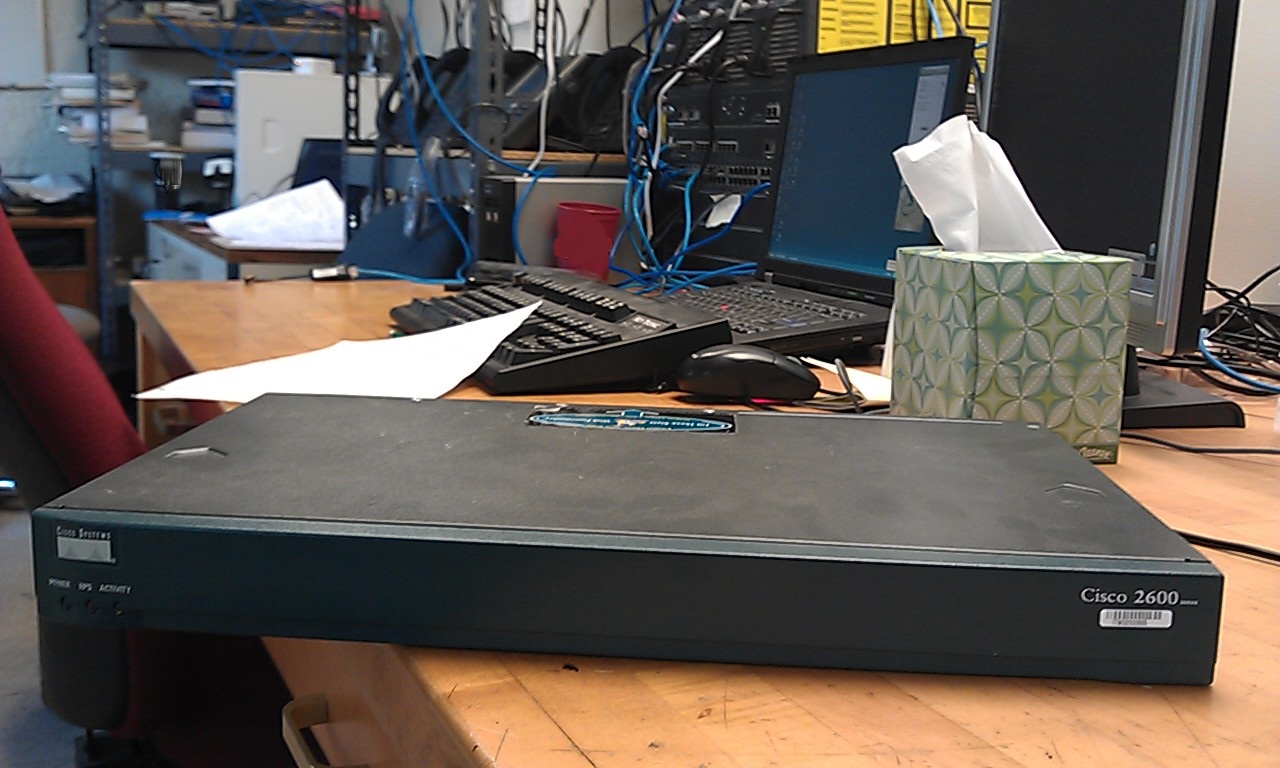
the Router

Connecting to the Router
We have three ways:
  1. Auxiliary Port / Phone line 
  2. Console Port / Rj-45 / Console Cable or Console cable-rollover
  3. Telnet /  (USER MODE) ip net - 10Baset t
Cisco Router Components 
  1. Bootstrap: boot the router & then load the IOS.    [Microcode of the Rom]
  2. POST (Power On Self Test): check the basic functionality of the router hard ware.    [Microcode of the Rom]
  3. Rom monitor: testing & troubleshooting.    [Microcode of the Rom]
  4. Mini-IOS (Rx-boot / boot-loader): small IOS in Rom. load a Cisco IOS into flash memory.
  5. RAM:  hold packet buffers, ARP cache, routing table.
  6. ROM: star & main tent the router.
  7. Flash memory: hold the Cisco IOS, NOT erased when the routers is reloaded, it is EEPROM.
  8. NVRAM: hold the router & switch configuration.
Cisco Router 
Summary:
  • Basic IOS: ROM
  • Boot strap: ROM
  • Diagnestics: ROM
  • Current IOS: Flash
  • Start up configuration: NVRAM
  • Running configuration: RAM


Types of IP addresses

Types of addresses are:   1-Unicast  2-Multicast  3-Broadcast   

                   First Network ID            Last Network ID
Class A            1.0.0.0                          126.0.0.0
Class B          128.0.0.0                      191.255.0.0             127.0.0.1 is Loop Back
Class C          192.0.0.0                     223.255.255.0

Apr 22, 2011

OSI Layers


1. Physical
2. Data link
3. Network
4. Transmission
5. Session
6. Presentation
7. Application